
Everything you need to let property, and nothing you don't
RentWorks follows the path of a tenancy: a property and its units, the tenant, the agreement, and then the rent due, invoiced, paid and followed up.
A look inside the app
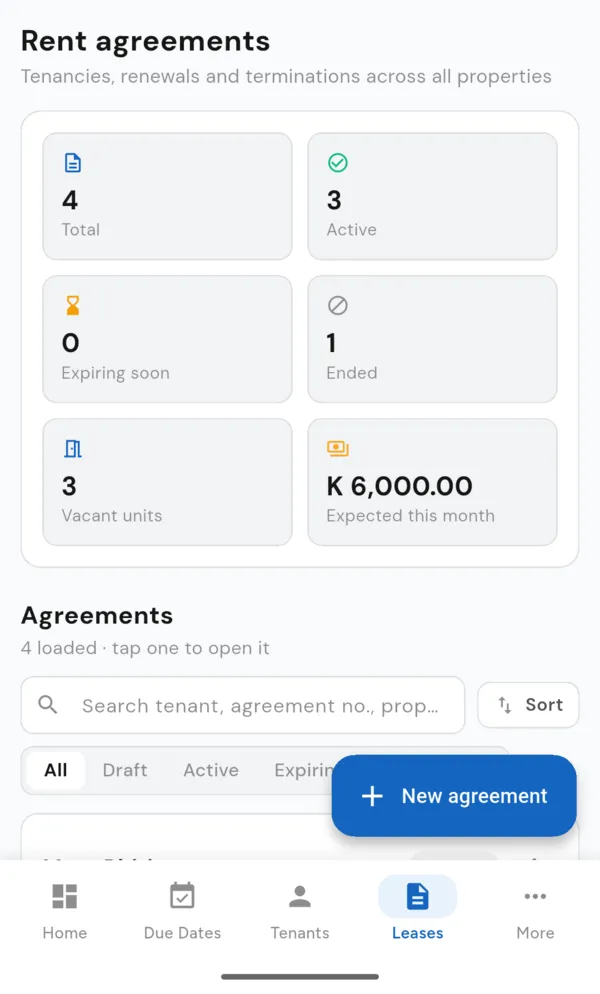
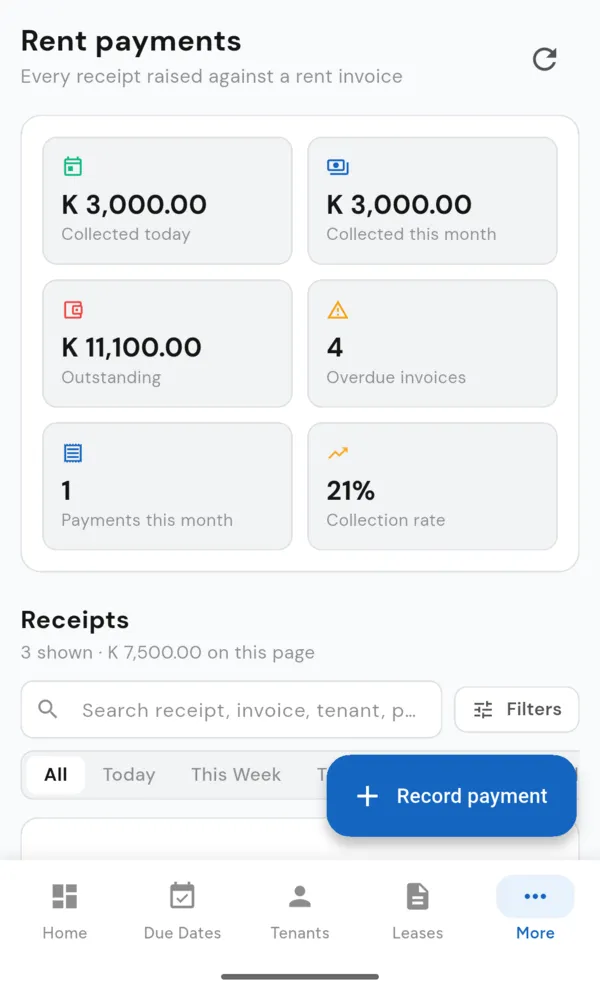
Real screens from RentWorks, taken on a phone.
Module by module
Dashboard
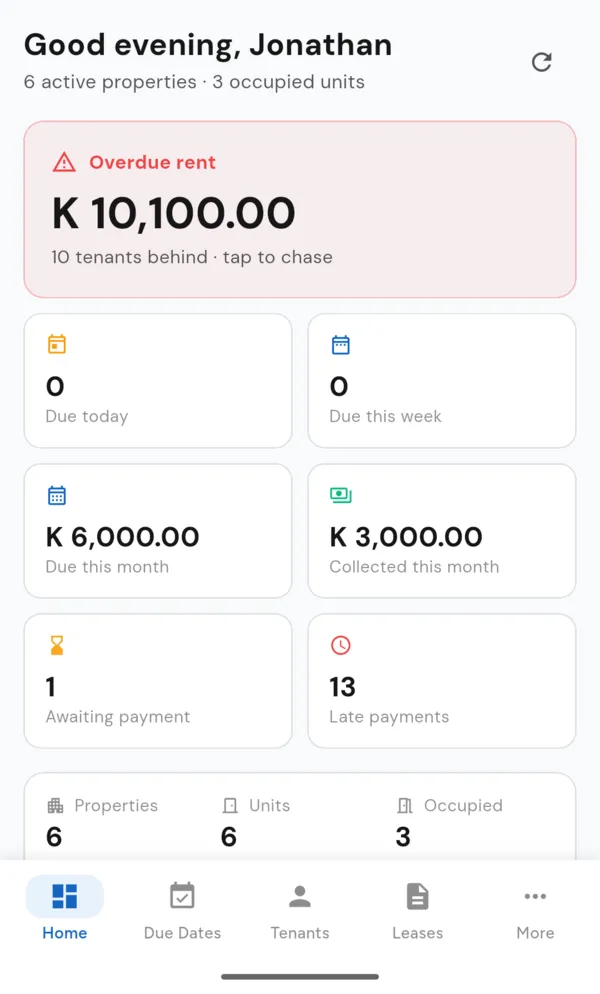
Overdue rent and how many tenants are behind; rent due today, this week and this month; collected this month; invoices awaiting payment; late payments; properties, units and occupied units.
Properties
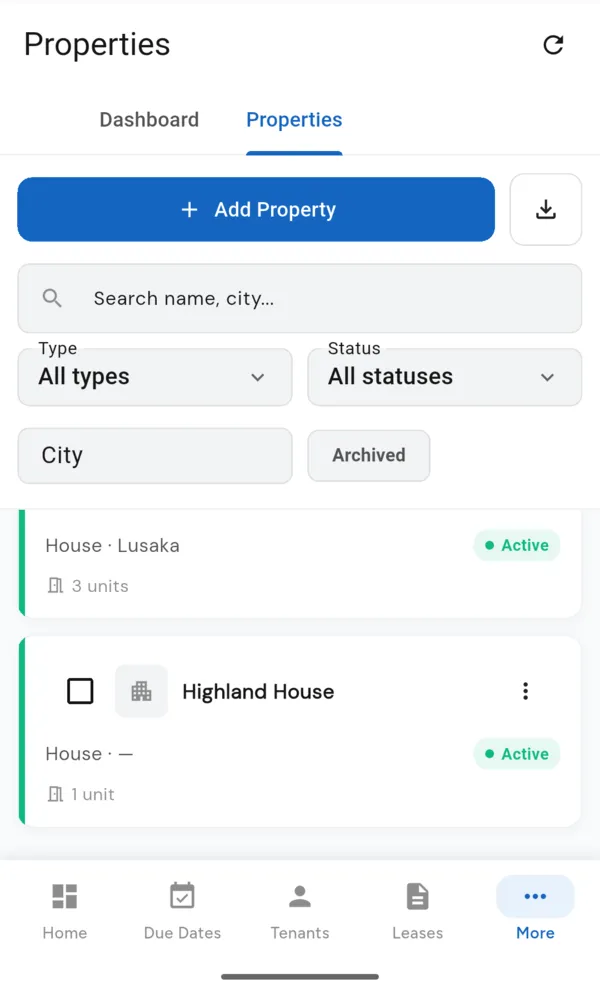
Name, type, address, city, province and country, status (Active, Under Maintenance, Inactive) and notes. Search, filter and archive.
Units
Rental units inside each property with their own label and monthly rent. Vacant units are what you pick from when creating an agreement.
Boarding houses & bed spaces
Rent by bed space instead of whole unit. Set rooms and bed capacity, single, shared or mixed occupancy, and a starting rent per bed.
Tenants
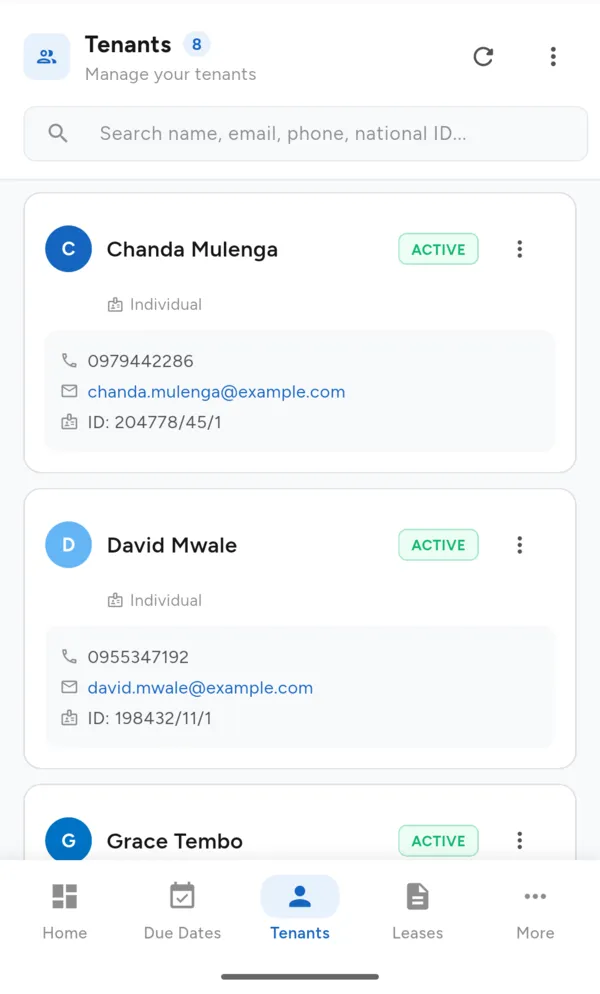
Name, phone, email, national ID or passport number, student number where relevant, and notes. Search the list by any of them.
Rental Agreements
Start and end dates, monthly rent, security deposit, due date, grace period and payment frequency (monthly, quarterly or annually). Draft, active, expiring and ended. Print as PDF.
End Tenancy
Close an agreement with the termination date, reason for leaving, outstanding rent, deposit refund and property condition notes.
Rent Invoices
Invoices across all properties by status: draft, issued, partially paid, paid or cancelled. Outstanding, overdue and collected totals.
Payments & receipts
Record full or part payments by cash, bank transfer, mobile money, card or cheque. Print PDF receipts. Collection rate at a glance.
Due Dates
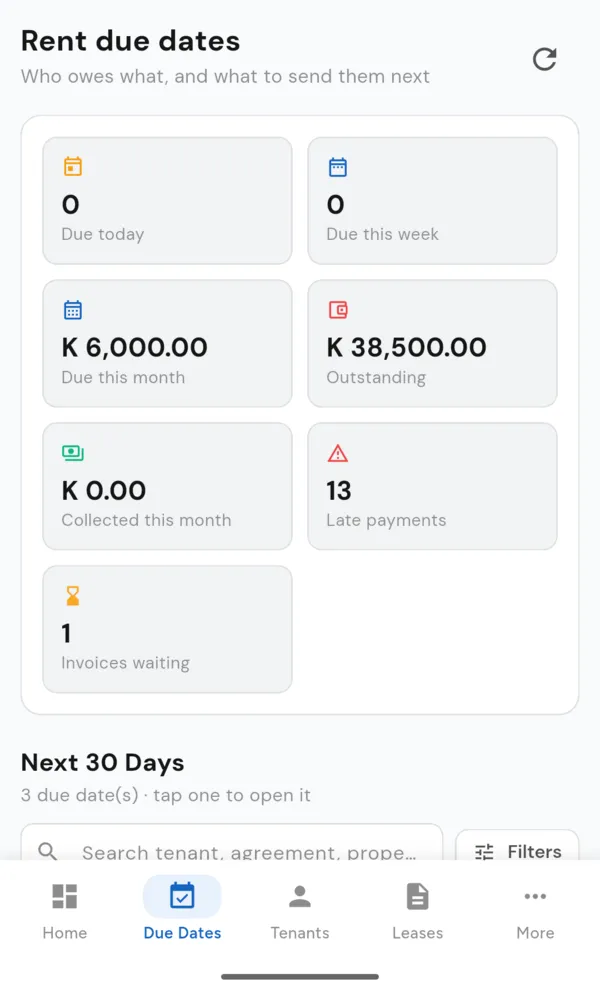
Rent due today, this week and this month, outstanding and late, plus the next 30 days of due dates with search and filters.
Reminders
Send a pre-written rent reminder by WhatsApp, SMS or email. It opens in your own app so you can check it before sending, and RentWorks keeps a note of each reminder.
Property Expenses
Record spending with category, supplier, amount, dates and payment status, so you know what the property costs to run.
Assets
Keep a register of the items you own across your properties.
Users & permissions
Add the people who work with you, each with their own sign-in and access.
Company & branding
Your company details and logo on the invoices, receipts and agreements you print.
Currency
Zambian Kwacha by default. Choose your company's currency from more than 120 currencies.
Export & backup
Export lists to Excel and download backups of your records.
Any device
Runs in a web browser and adapts to phone, tablet and computer screens. Sign in with email or Google.
Built for landlords, not accountants
RentWorks is deliberately focused on rental property. You don't need to know double-entry bookkeeping to use it — record the rent that came in and the money that went out, and RentWorks keeps the totals.
Good to know
- RentWorks records rent payments; it does not collect or hold rent. Tenants keep paying you directly.
- Each RentWorks account is kept separate. Your data is visible only to the people you give access to.
- Reminders open in WhatsApp, your SMS app or email with the message ready, so they come from you.
See it with your own properties
Start a 14-day free trial. No payment details needed.